
WIP tales of the Luma-Framework mod for Mafia III.
Features list: https://github.com/Filoppi/Luma-Framework/wiki/Mods-List#mafia-iii
Fixing the blurry TAA with DLSS/FSR
Mafia III is notably one of the games with the blurriest TAA of all time, contributing to the bad reputation TAA got early on.
It's also one of the first generation implementations, having the game come out in 2016, so we definitely cannot blame the devs (especially in 1080p and with performance constraints).
I recall playing it around release and downloading a sharpening ReShade for it, something I've rarely ever done.
Fast forward 10 years and the desire to fix it was still there!
Luma presents the ability to easily add DLSS and FSR to DX11 titles.
After hooking all the right passes (color in/out buffer, motion vectors, depth, etc), I found myself utterly confused as to how this game applies TAA jitters (the little projection matrix offsets that allow TAA to gather detail on the scene over time, even if the camera doesn't move).
After endlessly scouting the game's vertex shaders and discussing with multiple talented graphics scene modders,
I found the culprit.
While the game "applies" jitters in the vertex shaders as all games do (by simply bundling them with the view projection matrix, causing the object vertices to slightly shift where they are placed in the viewport and thus in the render target),
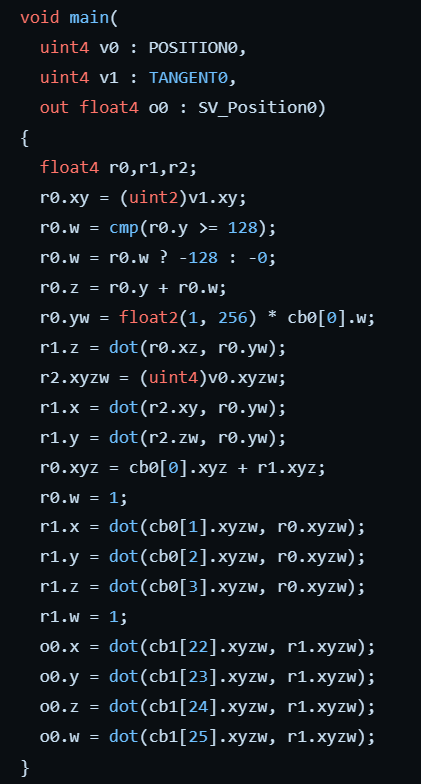
it also does something unique. In the pixel shader, it undoes the jitter offsets before sampling the material properties textures (albedos/specular/normal/...), meaning that the game exclusively jitters vertices/edges, without jittering surface textures.
(ignore the recording glitches...)
What does that imply for TAA? It prevents the accumulation pass from collecting fine texture detail over time, making TAA exclusively act like an edge smoothing filter, and thus losing one of its biggest advantages.
Mafia III hence produced an image that was soft, but without the extra detail that good TAA usually adds on textures.
My only theory is that they did it to avoid some shimmering on particular objects they couldn't otherwise fix, but it could simply be that it was too early for them to realize that TAA can gather texture detail over time.
Because material texture coordinates are not in screen space anymore, camera jitters can't simply be subtracted from them, hence they used ddx/ddy derivative functions to remove them, resulting in some pretty smart code:
12  0x000002CC: deriv_rtx_coarse r1.x, v6.w
13  0x000002E0: deriv_rtx_coarse r1.y, v7.x
14  0x000002F4: mov r2.x, v6.w
15  0x00000308: mov r2.y, v7.x
16  0x0000031C: mad r1.xy, r1.xyxx, cb2[7].xxxx, r2.xyxx
17  0x00000344: deriv_rty_coarse r2.x, v6.w
18  0x00000358: deriv_rty_coarse r2.y, v7.x
19  0x0000036C: mad r1.xy, -r2.xyxx, cb2[7].yyyy, r1.xyxx
20  0x00000398: movc r0.xy, r0.zzzz, r0.xyxx, r1.xyxx
21  0x000003BC: mul r0.xy, r0.xyxx, cb1[4].zwzz
22  0x000003DC: sample_indexable(texture2d)(float,float,float,float) r0.xyz, r0.xyxx, t4.xywz, s0
Thanks to Luma’s long history of tedious shader patching, I was able to quickly put down some code that iterates on all the game shaders with pattern matching, recognizing all affected material pixel shaders, and NOP'ed the problematic instructions.
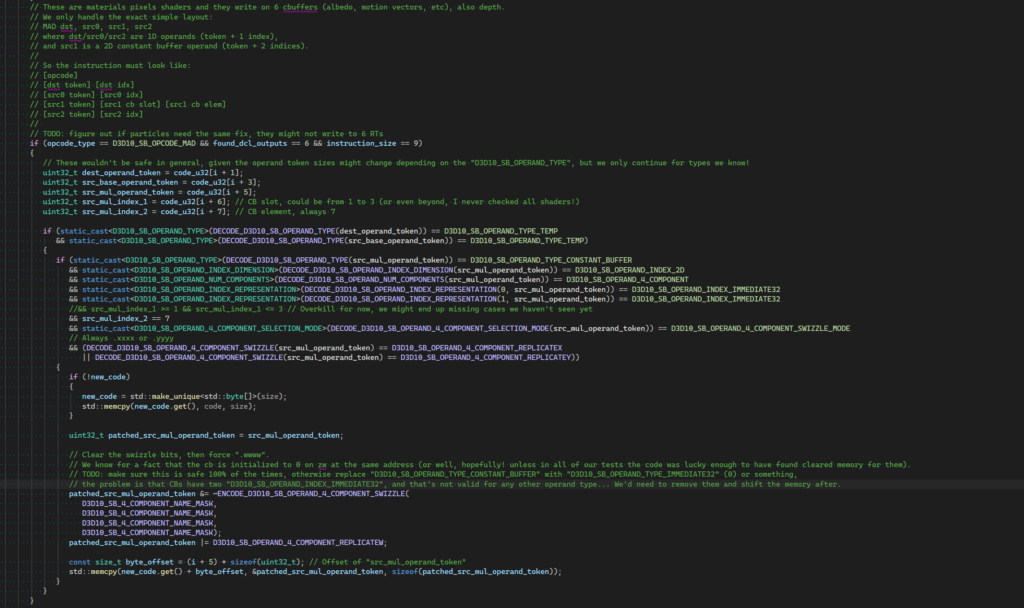
And here we go, we now have functioning TAA camera jitters in Mafia III, paving the way for a proper TAA implementation.
To continue...